[7.3.1] Management Access help shows invalid pfSense rebind config
Expected Behavior
Help menu should display correct info.
Actual Behavior
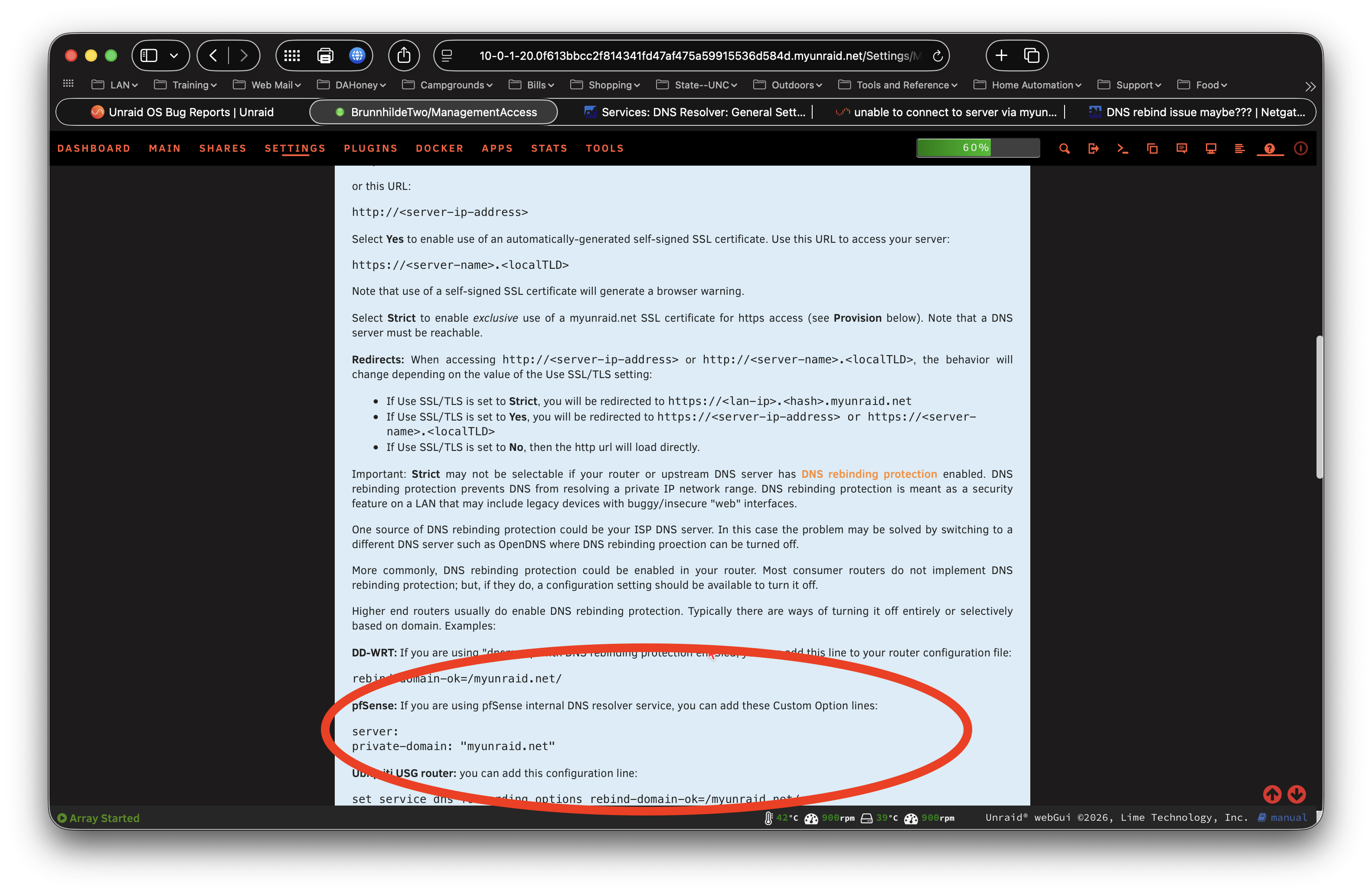
Instructions displayed have a formatting error.
Steps to Reproduce
Settings>Management Access>SSL is not set to “Strict”.
Unraid server must be behind a pfsense firewall with DNS rebind attack protection enabled.
Attempting to set Use SSL/TLS to. Strict will show that Stict is grayed out and display a warning that DNS rebind protection is detected.
Enter the code shown in the help menu (see attached screenshot) into the pfsense Services>DNS Resolver>General Settings>Custom Options and click Apply.
In unraid settings Strict will still be grayed out and the rebind protection warning will still be displayed.
Additional Context)
I imagine this mistake in the help menu has existed for quite a while and has gone unreported. The code displayed in the help menu should be properly formatted according to the Unbound manpage https://unbound.docs.nlnetlabs.nl/en/latest/manpages/unbound.conf.html#file-format
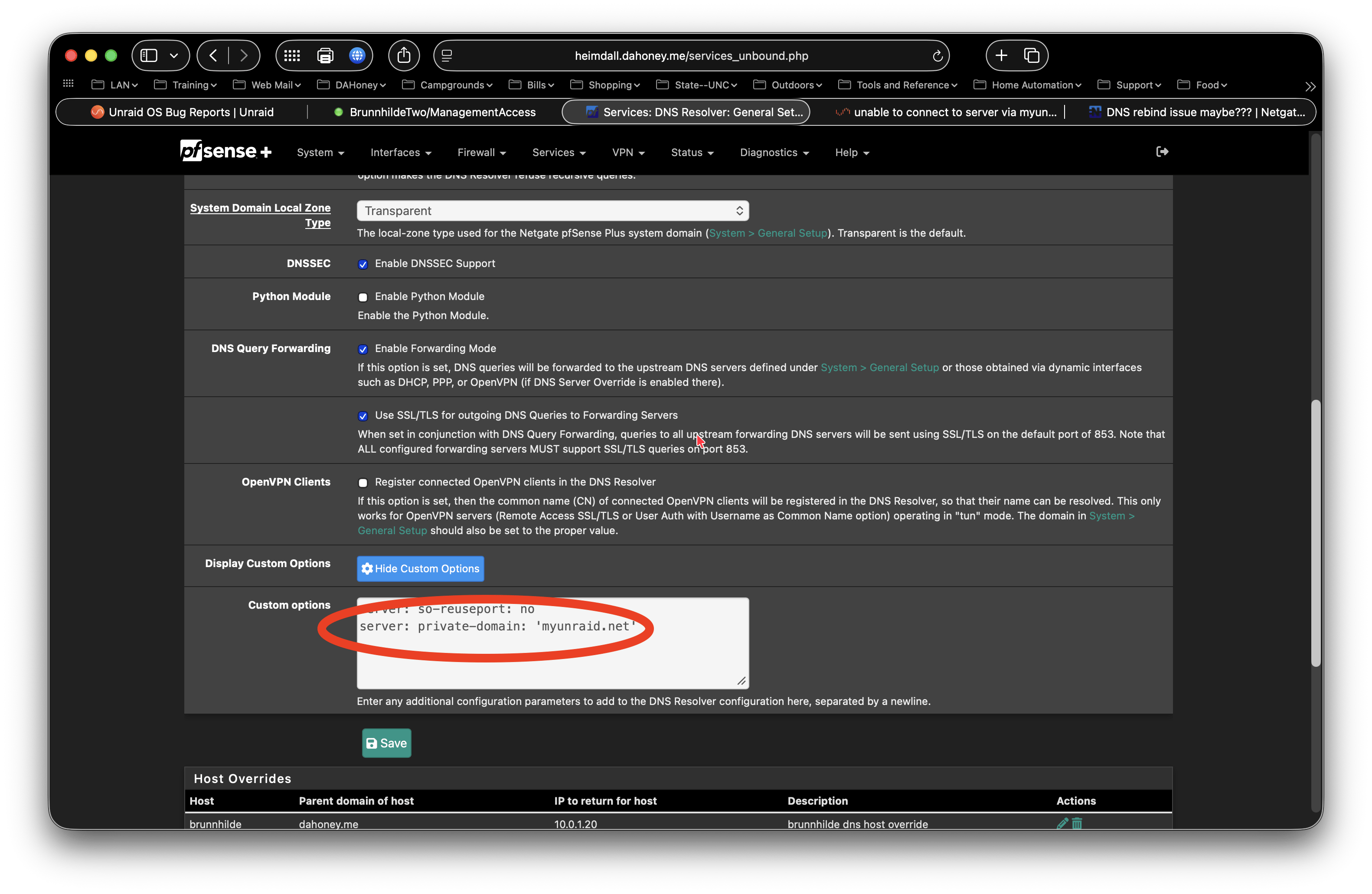
but it doesn’t work in pfsense unless it is formatted to all be on one line. It should be
server: private-domain: ‘myunraid.net’
Workarounds
Entering the properly formatted code into pfsense will eliminate this issue.
Screenshots / Videos / Diagnostics